 S AI
S AI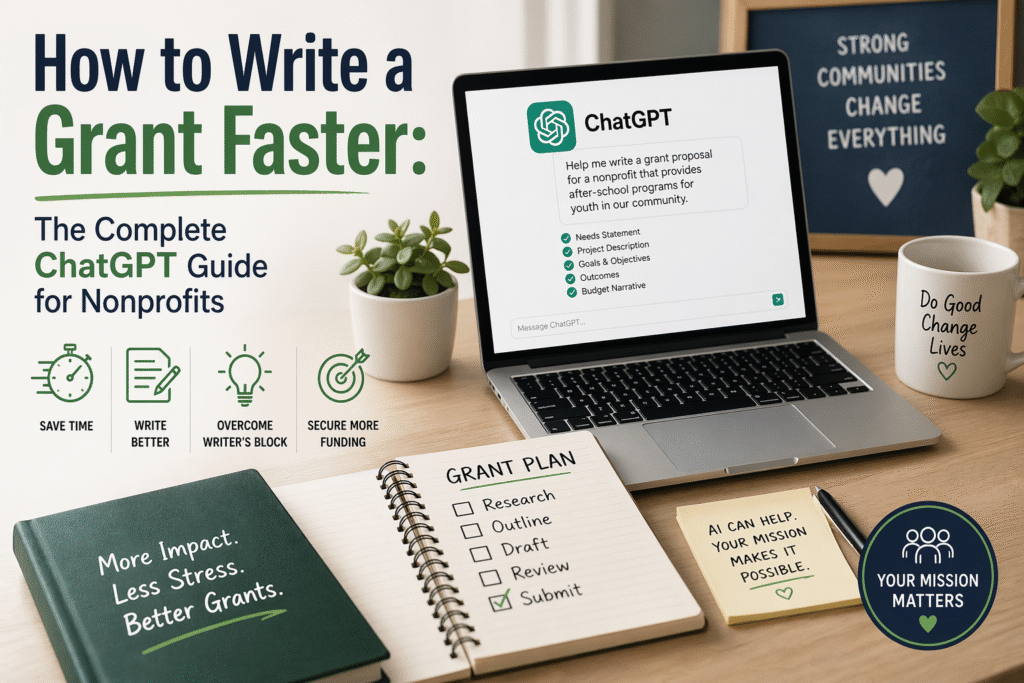
ou have 47 hours until the grant deadline. The proposal isn’t started.
Sound familiar?
Every nonprofit leader knows this panic. The RFP sat in your inbox for six weeks. You meant to start earlier. Life happened. Now you’re staring at a blank document wondering how you’ll write 15 pages of compelling narrative while also running programs, managing staff, and somehow sleeping.
Here’s the truth: You don’t have to white-knuckle this anymore.
ChatGPT for nonprofits isn’t about replacing your expertise. It’s about eliminating the blank page problem that steals hours you don’t have.
This guide shows you exactly how to write a grant faster using AI. Plus prompts for board reports, donor thank yous, and a free AI policy template you can implement today.
Let’s save you some time.
Can AI Write Grants?
Let’s address this directly: Can AI write grants?
Yes and no.
What AI can do:
Generate first drafts of narrative sections. Organize your scattered notes into coherent structure. Reformat existing content to match new funder requirements. Write boilerplate sections you’ve written 47 times before. Suggest language for outcomes, objectives, and evaluation plans. Help you meet word counts without padding.
What AI cannot do:
Know your programs intimately. Understand your community’s specific needs. Build relationships with funders. Verify that your data is accurate. Make strategic decisions about what to include. Guarantee your grant gets funded.
The honest answer: AI can write a grant draft. But AI cannot write YOUR grant without YOUR input.
The magic happens when you combine your organizational knowledge with AI’s ability to structure, draft, and polish at speed.
One development director told me she cut her grant writing time from 12 hours to 4 hours using this approach. Same quality. Same success rate. One-third the agony.
That’s the goal.
The AI Grant Writing Process for Nonprofits
Here’s the exact workflow I recommend for AI grant writing nonprofit applications.
Step 1: Gather Before You Generate
AI can’t pull information from your head. Before you open ChatGPT, collect:
From the RFP:
- Exact word/page limits for each section
- Specific questions the funder wants answered
- Evaluation criteria (what are they scoring?)
- Any required language or formatting
From your organization:
- Program description and goals
- Target population details
- Outcomes data from similar programs
- Budget figures and justification
- Staff qualifications
- Letters of support (even drafts)
From your history:
- Previous successful grants to this funder
- Similar grants to other funders
- Boilerplate about your organization
Spending 20 minutes gathering this information will save you 2 hours of fighting with AI that doesn’t have what it needs.
Step 2: Section by Section, Not All at Once
Don’t ask AI to write an entire grant proposal. It will produce generic mush.
Instead, work through each section individually. Give AI context. Get a draft. Refine. Move to the next section.
This gives you control and produces better output.
Step 3: Edit for Your Voice
Every AI draft needs human editing. Specifically:
- Add specific details only you know
- Insert your organization’s actual data
- Remove anything that sounds generic or inflated
- Verify every claim is accurate
- Adjust tone to match your relationship with the funder
The goal is a proposal that sounds like your organization, not a robot.
Copy-Paste Prompts: How to Write a Grant Faster
Here are the exact prompts I give to nonprofit clients. Copy them. Customize the brackets. Start saving time.
Prompt 1: Needs Statement
The needs statement is where most people get stuck. This prompt helps:
“I’m writing a grant proposal for [funder name] to fund [program name]. Our program serves [target population] in [geographic area]. Here is the data I have about the need: [paste your statistics, quotes, or research]. Write a compelling 300-word needs statement that: 1) Opens with a specific, human story or statistic, 2) Describes the scope of the problem, 3) Explains why this population is underserved, 4) Creates urgency without being melodramatic. Use clear, jargon-free language.”
Prompt 2: Program Description
“Here are the details of our program: [paste program description, activities, timeline]. Write a 400-word program description that explains: 1) What we do, 2) How we do it (specific activities), 3) Who delivers the services, 4) How participants move through the program, 5) What makes our approach effective. Use active voice and specific language. Avoid vague claims like ‘comprehensive services’ without explanation.”
Prompt 3: Goals and Objectives
“Our program aims to achieve these outcomes: [list your intended outcomes]. Write 3 SMART goals with 2 measurable objectives under each goal. Goals should be broad statements of intended impact. Objectives should be specific, measurable, achievable, relevant, and time-bound. Format clearly with Goal 1, Objective 1.1, Objective 1.2, etc.”
Prompt 4: Evaluation Plan
“We need an evaluation plan for a program that [brief description]. Our goals are: [list goals]. Our data collection methods include: [list what you can actually do]. Write a 250-word evaluation plan that explains: 1) What data we will collect, 2) When and how we will collect it, 3) How we will analyze the data, 4) How we will use findings to improve the program. Be realistic about what a small nonprofit can actually implement.”
Prompt 5: Budget Narrative
“Here is our program budget: [paste line items and amounts]. Write a budget narrative that explains each line item, justifies why each expense is necessary, and connects expenses to program activities. Keep explanations brief but clear. Format with the line item name, amount, and 1 to 2 sentence justification for each.”
Prompt 6: Organizational Capacity
“Here is information about our organization: [paste org description, history, staff qualifications, past successes]. Write a 200-word organizational capacity statement that demonstrates we have the experience, staff, and infrastructure to successfully implement this program. Include specific evidence of past success.”
Prompt 7: Repurposing Previous Grants
This is the real time-saver:
“I’m applying to [new funder] for [program]. Here is a grant narrative I wrote for a different funder: [paste previous grant]. The new funder wants: [paste their specific questions or focus areas]. Rewrite this content to address the new funder’s priorities while keeping the core information accurate. Adjust the word count to approximately [target length].”
ChatGPT for Nonprofits: Beyond Grants
Grant writing is just the beginning. Here’s how to use ChatGPT for nonprofits across your entire operation.
How to Use ChatGPT for Donor Thank You Letters
Every fundraising expert says the same thing: thank donors fast, thank them personally, thank them well. But who has time to write heartfelt thank you letters when you’re processing 200 year-end gifts?
Here’s the prompt:
“Write a warm, personal thank you letter to a donor who gave [amount] to support [program or campaign]. This is their [first gift / 5th consecutive year / largest gift ever]. Mention specifically that their gift will help [concrete impact]. Keep it under 150 words. Sound grateful without being over the top. Include one specific detail that makes it feel personal, not mass-produced.”
For personalizing at scale:
“Here is a list of donors with their giving history: [paste data]. For each donor, write a 2-sentence personalized paragraph I can insert into our standard thank you letter. Reference their specific giving pattern and make each one feel individually written.”
Time saved: What used to take 3 hours now takes 45 minutes. And your donors feel more appreciated, not less.
Nonprofit Board Report Template AI
Board meetings are tomorrow. You haven’t written the ED report. Classic.
“Create an executive director board report template for a nonprofit focused on [mission area]. Include sections for: 1) Program highlights since last meeting (2 to 3 bullet points), 2) Key metrics with comparison to goals, 3) Financial snapshot summary, 4) Fundraising update, 5) Staffing or HR updates, 6) Challenges or concerns requiring board input, 7) Upcoming priorities. Keep each section brief. Format for easy scanning.”
For the actual report:
“Here are my notes from the past month: [paste your messy notes, emails, data points]. Organize this into a board report following this structure: [paste your template]. Keep each section to 2 to 3 sentences or bullet points. Flag anything that needs board discussion or decision.”
Time saved: 2+ hours per board meeting.
AI for Small Nonprofits: Stretch Your Limited Staff
If you’re a small nonprofit, you’re probably doing three jobs at once. AI for small nonprofits is about multiplying your limited capacity.
Social media content:
“Create 10 social media posts for a small nonprofit focused on [mission]. Our tone is [warm/professional/urgent]. Include: 3 posts highlighting our impact, 3 posts thanking supporters, 2 posts promoting upcoming [event/campaign], 2 posts asking engaging questions. Keep each under 250 characters for Twitter or 150 words for LinkedIn.”
Volunteer recruitment:
“Write a volunteer recruitment appeal for [specific opportunity]. We need [number] volunteers to [specific task] on [date/timeframe]. No experience needed. Include: what they’ll do, time commitment, why it matters, how to sign up. Keep it under 200 words. Make it sound exciting, not like a chore.”
Event promotion:
“Write 3 versions of an event invitation for [event name] on [date]. Version 1: Formal invitation for major donors. Version 2: Casual invitation for general community. Version 3: Urgent last-chance appeal for the week before. Include key details in each but vary the tone and approach.”
For more examples of AI workflows, check out how nonprofits are using AI in real workflows.
Free AI Policy Template for Nonprofits
You asked for it. Here it is.
Before your staff starts using AI for everything, you need guardrails. This AI policy template nonprofit free resource gives you a starting point.
[ORGANIZATION NAME] Artificial Intelligence Acceptable Use Policy
Effective Date: [Date]
Purpose
This policy establishes guidelines for the responsible use of artificial intelligence tools by [Organization Name] staff. AI should enhance our work and mission without compromising quality, accuracy, privacy, or trust.
Approved AI Tools
The following AI tools are approved for staff use:
[List specific tools, e.g., ChatGPT, Claude, Microsoft Copilot, Grammarly]
Staff must receive approval from [designated person/role] before using AI tools not on this list.
Approved Uses
Staff may use AI for:
Drafting internal communications, memos, and reports. Creating first drafts of external communications (subject to human review). Summarizing long documents and research. Generating ideas, outlines, and frameworks. Proofreading and editing existing content. Creating templates and standard operating procedures. Analyzing data that does not contain personally identifiable information.
Prohibited Uses
Staff may NOT use AI for:
Making final decisions about client or program eligibility. Processing confidential client information through AI systems. Publishing any AI-generated content without human review and editing. Creating content that will be attributed to a specific person without their knowledge. Legal, medical, or financial advice. Generating images of real people. Any use that violates client confidentiality or donor privacy.
Data Privacy Requirements
Never enter the following into AI tools:
Client names, addresses, or contact information. Social Security numbers, dates of birth, or financial information. Health information or case notes. Donor financial data or giving history with names attached. Any information protected by HIPAA, FERPA, or similar regulations.
When in doubt, anonymize or do not use AI.
Human Review Requirement
All AI-generated content must be reviewed by a human before:
Sending to external audiences (donors, funders, partners, media). Publishing on website or social media. Including in grant applications or reports. Sharing with board members.
The reviewing staff member is responsible for:
Verifying accuracy of all facts, data, and claims. Ensuring tone matches our organizational voice. Removing any inappropriate or off-brand content. Confirming the content is original and not plagiarized.
Transparency
We do not need to disclose AI use for internal drafting and editing assistance.
We will disclose AI use if directly asked by funders, partners, or other stakeholders.
We will never represent AI-generated content as the personal creative work of a specific individual.
Accountability
The staff member using AI is responsible for the final output. AI assistance does not reduce accountability for errors or problems in the final product.
Questions and Updates
Questions about this policy should be directed to [designated person/role].
This policy will be reviewed and updated annually, or more frequently as AI technology evolves.
Acknowledgment
I have read and understand this AI Acceptable Use Policy and agree to comply with its requirements.
Staff Signature: _________________ Date: _______
How to Customize This Template
Step 1: Review with your leadership team. Adjust the approved tools list to match what your organization actually uses.
Step 2: Consider your specific context. If you work in healthcare, add HIPAA-specific language. If you serve children, address COPPA considerations. If you operate in Colorado, ensure alignment with the Colorado AI Act compliance requirements.
Step 3: Train your staff. A policy nobody knows about is a policy that doesn’t work.
Step 4: Review quarterly for the first year. AI is evolving fast. Your policy should evolve too.
For a deeper dive into building an ethical framework for nonprofit AI implementation, see our dedicated guide.
The Real Talk: What AI Can and Cannot Do for Your Grants
Let me be honest with you.
AI will not get your grant funded. Funders still look for:
Strong relationships and alignment with their priorities. Proven track record of implementation. Realistic budgets and timelines. Evidence that you understand the community. Clear logic connecting activities to outcomes.
AI helps you articulate these things faster. It doesn’t create them.
If your program is weak, AI will help you write a polished proposal for a weak program. If your data is missing, AI will either make things up (bad) or tell you it can’t help without data (accurate but unhelpful).
The winning combination:
Strong programs + clear outcomes + AI-assisted writing = more grants, less burnout.
AI is a tool, not a miracle.
Getting Started This Week
Here’s your action plan:
Today: Pick one grant you’re working on. Use the needs statement prompt above. See how it feels.
Tomorrow: Try the donor thank you prompt. Personalize 10 thank you letters in the time it used to take to write 3.
This week: Draft an AI policy using the template above. Share it with your leadership team for feedback.
This month: Identify your three biggest writing time drains. Build AI prompts for each one. Create a prompt library your whole team can use.
Ongoing: Subscribe to Monday Motivational Minute for weekly prompts and strategies delivered to your inbox.
Frequently Asked Questions
Can AI write grants?
AI can generate grant drafts, but it cannot replace human judgment, organizational knowledge, or relationship building with funders. The most effective approach combines AI’s speed with human expertise: use AI to create first drafts, structure content, and repurpose existing materials, then edit thoroughly to add accuracy, specificity, and your organization’s authentic voice.
How do I use ChatGPT for nonprofits?
Start with high-volume writing tasks: donor thank yous, social media content, newsletter drafts, and board reports. Provide context in your prompts (who is the audience, what is the goal, what tone is appropriate). Always review and edit AI output before using it. Never enter confidential client or donor information into AI tools.
Is AI grant writing ethical?
Yes, when used appropriately. AI is a drafting tool, similar to using templates or repurposing previous grant language. The ethical line is misrepresentation: never claim AI-generated content as original creative work by a specific person, and always verify accuracy before submission. Most funders care about the quality of your program and proposal, not whether you used AI to help structure your writing.
What is the best AI for small nonprofits?
For most small nonprofits, ChatGPT (free or Plus version) and Claude offer the best combination of capability and accessibility. Microsoft Copilot is excellent if you already use Microsoft 365. Start with free tools before investing in paid subscriptions. The best AI is the one your team will actually use consistently.
Do I need an AI policy for my nonprofit?
Yes. Even if your organization is small, written guidelines protect you from privacy violations, quality issues, and staff confusion. Use the free template in this article as a starting point. A simple one-page policy is better than no policy at all.
The Bottom Line
How to write a grant faster?
Use AI to eliminate the blank page. Work section by section with specific prompts. Let AI handle the structure while you provide the substance. Edit thoroughly for accuracy and voice.
ChatGPT for nonprofits isn’t about cutting corners. It’s about cutting the time tax that keeps you from doing mission work.
You didn’t become a nonprofit leader to spend 12 hours writing grant narratives. You became a nonprofit leader to change your community.
AI helps you get back to that.